Test Druid SIP Calls
The Test Call feature provides a sandbox environment to verify your speech services and evaluate how your AI Agent responds in real time before connecting your system to a live call center environment.
Prerequisite
You only need to configure and enable your Speech-to-Text (STT) and Text-to-Speech (TTS) services under the Speech tab before launching a test. For more information, see Step 3. Configure the speech services.
Run a Test Call
Follow these steps to initiate a test call with your AI Agent:
- Go to your AI Agent configuration page.
- Navigate to Channels > Druid SIP.
- On the General tab, click the Test Call button.
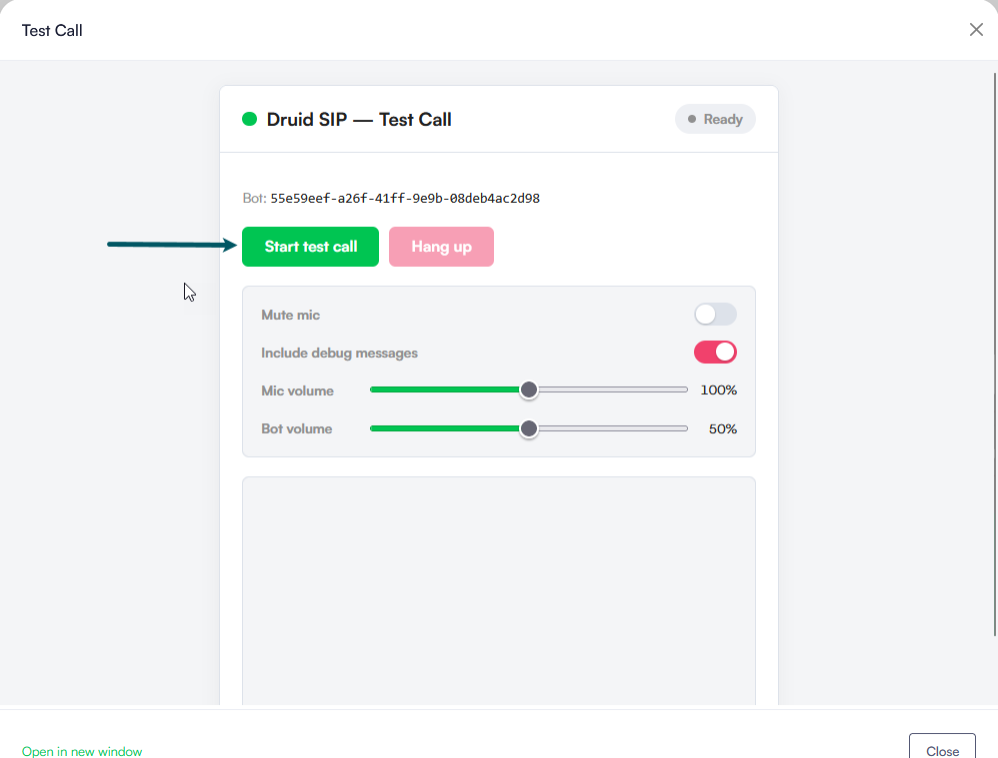
- Click Start test call.
- Grant the browser permission to access your microphone if prompted.
- Speak into your microphone to interact with the AI Agent.
- You can adjust your input and output volume using the Mic volume and AI Agent volume sliders during the call.
- Click Hang up to end the call session and Close to close the modal.
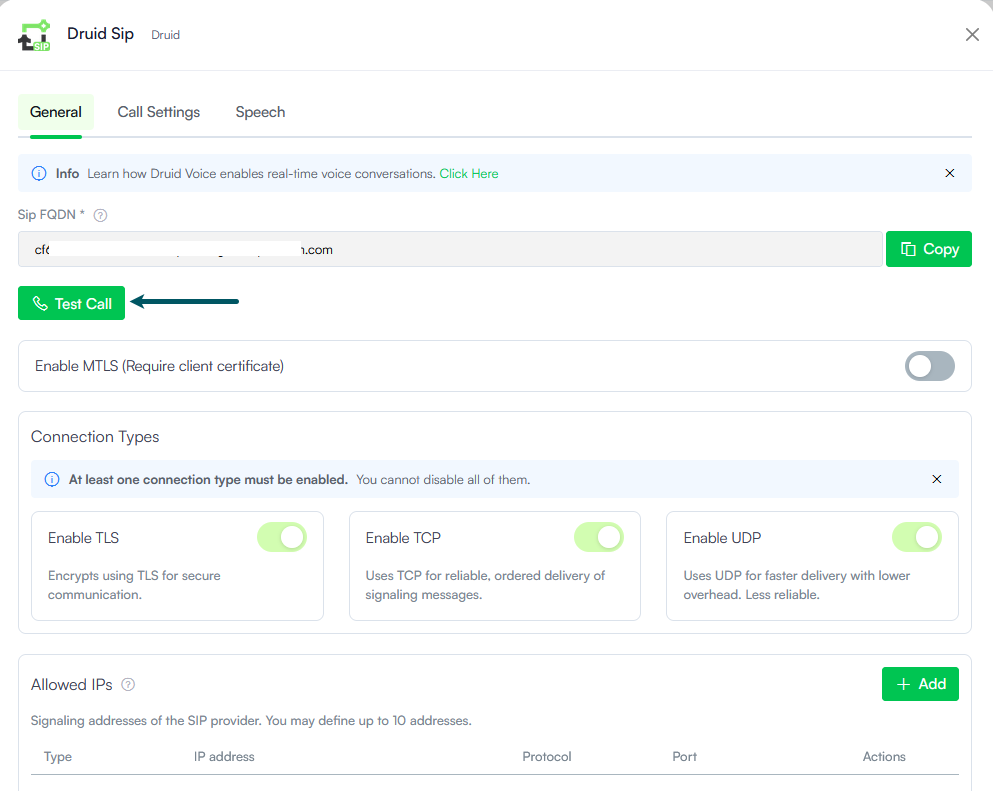
The Test Call modal window appears. You can choose to open it in a new window.
Monitor and Troubleshoot Call Logs
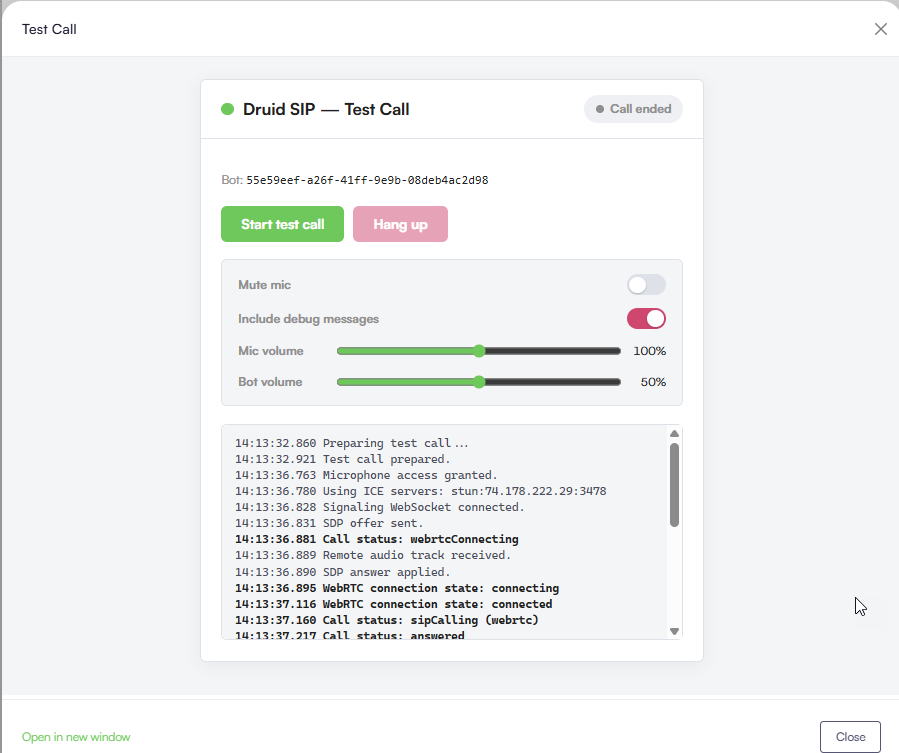
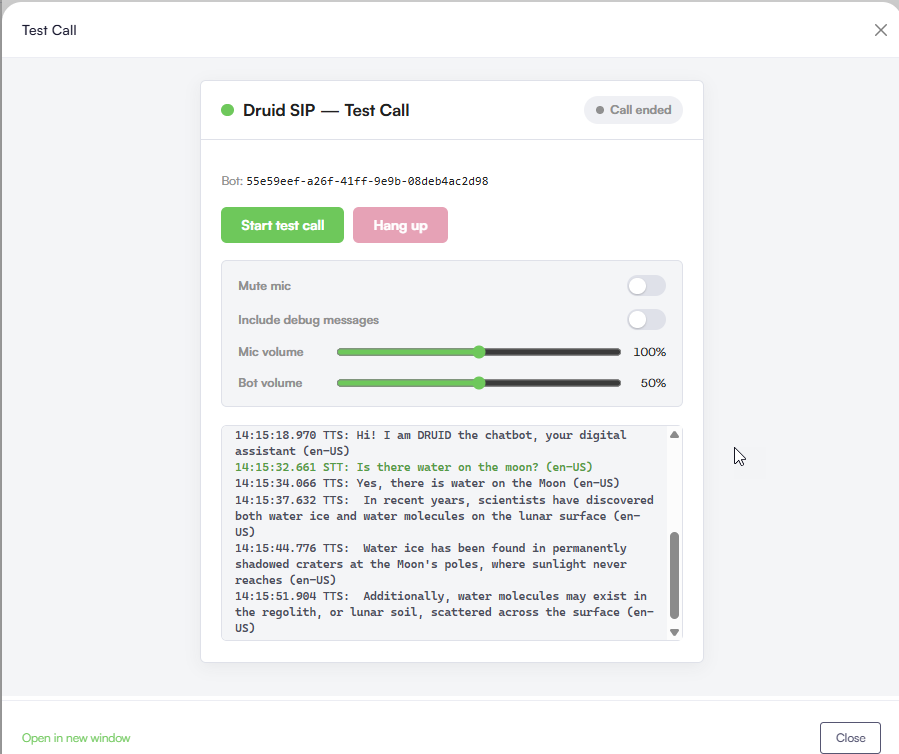
The Test Call modal features an Include debug messages toggle that lets you alternate between two diagnostic views:
- Technical Debugging (Toggle ON) -When enabled, the console displays detailed, real-time connectivity and signaling events during the call and after it ends. This view is ideal for engineering teams to verify:
- Microphone access status.
- ICE server connectivity and WebRTC connection states.
- Signaling WebSocket communication and SDP negotiation.
- Conversation Transcript (Toggle OFF) - When disabled, the console displays a clean, real-time conversation transcript. Use this view to review conversational flow accuracy:
- STT (Speech-to-Text). Shows exactly how the speech engine transcribed your voice inputs.
- TTS (Text-to-Speech). Shows the text generated by the AI Agent that is synthesized back into audio.
Review Test Call History
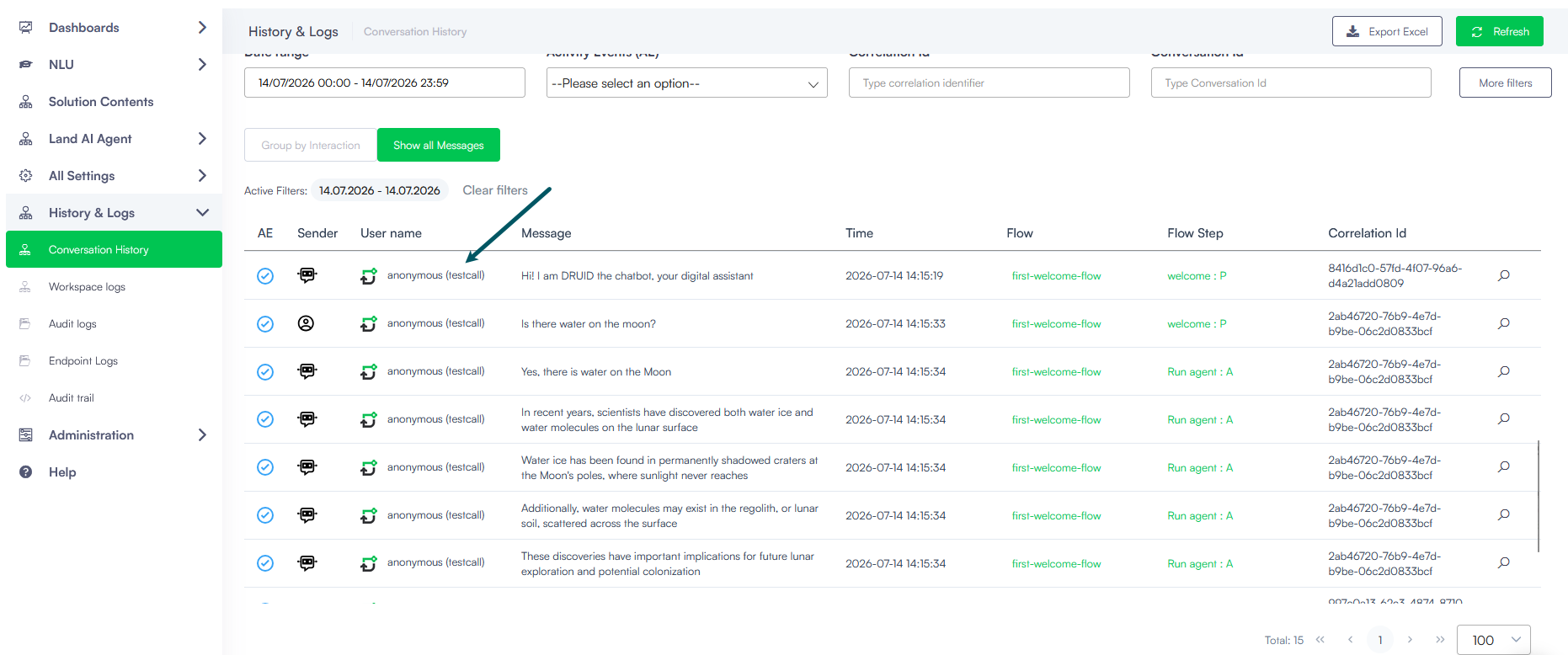
Every completed test call is recorded in the Conversation History for later audit and dialogue diagnostics. To prevent confusion with live production traffic, all test calls are automatically assigned the (testcall) label in the records.
 Related Topics